
From a stream recording
Stream for Hours. Find the Best Moments.
Upload your GTA 6 stream recording and review up to 30 moments Vodyra finds in the footage.
- Long recording
- AI analysis
- Selected highlights
AI Clip Maker for GTA 6 Creators
Whether you’re streaming for hours or already have an epic GTA 6 clip, Vodyra helps you transform your gameplay into short-form content for TikTok and YouTube Shorts.
 See the product demo
From a stream recording
Upload your GTA 6 stream recording and review up to 30 moments Vodyra finds in the footage.
From an existing clip
Upload a GTA 6 clip you’ve saved, or connect your Twitch channel and import a clip from it. Prepare it for vertical viewing and add captions where available.
Upload a stream recording or gameplay clip as an MP4, MOV, MKV, or WebM. To import a Twitch clip, connect your channel on the Vodyra dashboard.
Vodyra reviews uploaded files for highlights and prepares the whole clip for Twitch imports. When speech is recognized, you can choose an animated caption style.
Preview your Top picks and prepare any additional moments you want to use. Choose Original 16:9 or Vertical 9:16 where available, then download your favorites as MP4s.
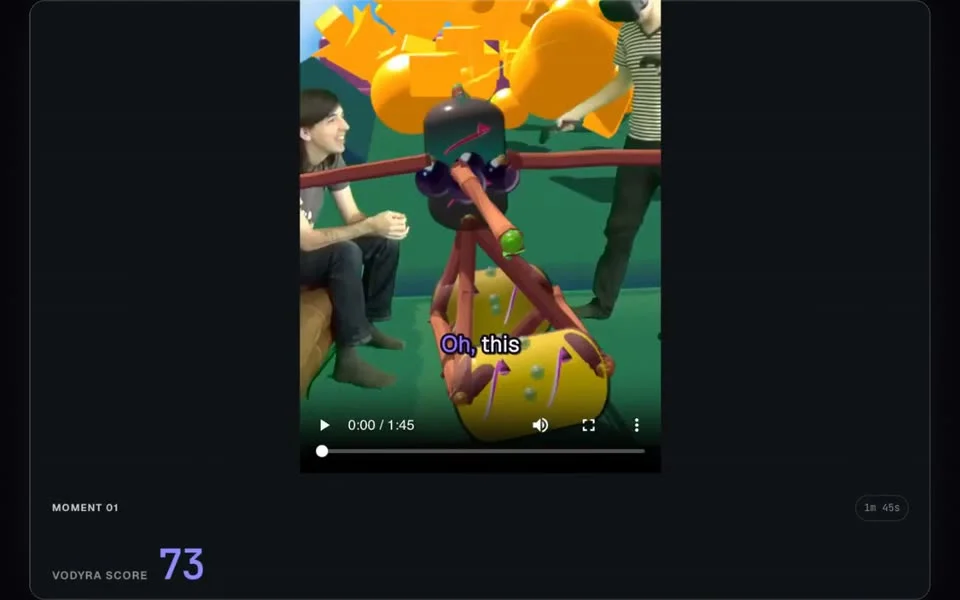
See the Vodyra upload, analysis, and results screens with licensed Fantastic Contraption gameplay.
Follow a gameplay recording from upload to a selected, playable highlight.
Compare the widescreen source with a captioned result from the Vodyra demo. A short clip can enter the same workflow.
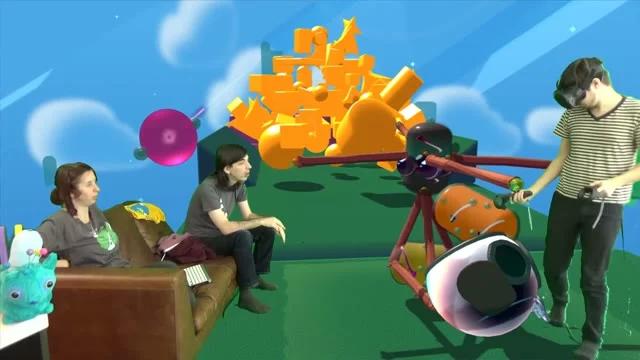

Gameplay footage: Fantastic Contraption: Greg’s spinny top and swag by Sarah Northway, licensed CC BY-SA 3.0. The edited video and cropped stills are shared under the same license.
Look for moments with a clear setup and payoff when you plan your next batch of GTA 6 clips.
Download a vertical MP4 from Vodyra, then upload it to TikTok or YouTube Shorts yourself.
Free 2-hour trial, then 1 h/month — no card required. Connect Twitch to unlock the 2-hour trial, once per Twitch account. Free analyses include previews and downloads of generated clips. Twitch clip imports use a separate allowance.
Start Creating GTA 6 Clips$29 USD / month
Taxes included where applicable. Checkout availability is shown in your account. Terms of Sale
Upload your stream recording or an existing clip. Review any moments Vodyra selects, choose Vertical 9:16 when available, and download the MP4. Then upload it to TikTok from your own account.
Yes. Upload the clip as a video file through the same analysis flow you use for a stream recording. Vodyra may return fewer clips or none if it doesn’t find a suitable moment.
Yes. Connect your Twitch channel on the Vodyra dashboard, then choose a clip from your channel or enter its clip link. Twitch clip imports use a separate allowance from VOD analysis.
Yes. Save the stream as a video file and upload it. Creator accepts recordings up to 6 hours per file, within the 20-hour analysis allowance per billing period.
Yes. Vodyra can surface up to 30 moments per VOD, including Top picks and additional moments you can prepare on demand. The number depends on the recording’s length and what the analysis finds.
Yes. Download a vertical MP4 when the format is available for your selected moment, then upload it to YouTube as a Short.
Yes. When Vodyra detects a supported facecam layout, it can preserve your camera alongside gameplay in the vertical frame. Results depend on the source layout.
Vodyra generates animated captions from recognized speech. When captions are available for a clip, you can choose from 33 styles.
Instagram Reels support is Coming Soon and is not currently available.
Free 2-hour trial, then 1 h/month — no card required. Connect Twitch to unlock the 2-hour trial, once per Twitch account. Free analyses include previews and downloads of generated clips.
No. Vodyra is an independent clipping tool and is not affiliated with or endorsed by Rockstar Games.
Bring a full stream or a clip you’ve already saved.
Start Creating GTA 6 Clips